Disconnecting From Office Printers
Last updated: Aug 22, 2025
238
views

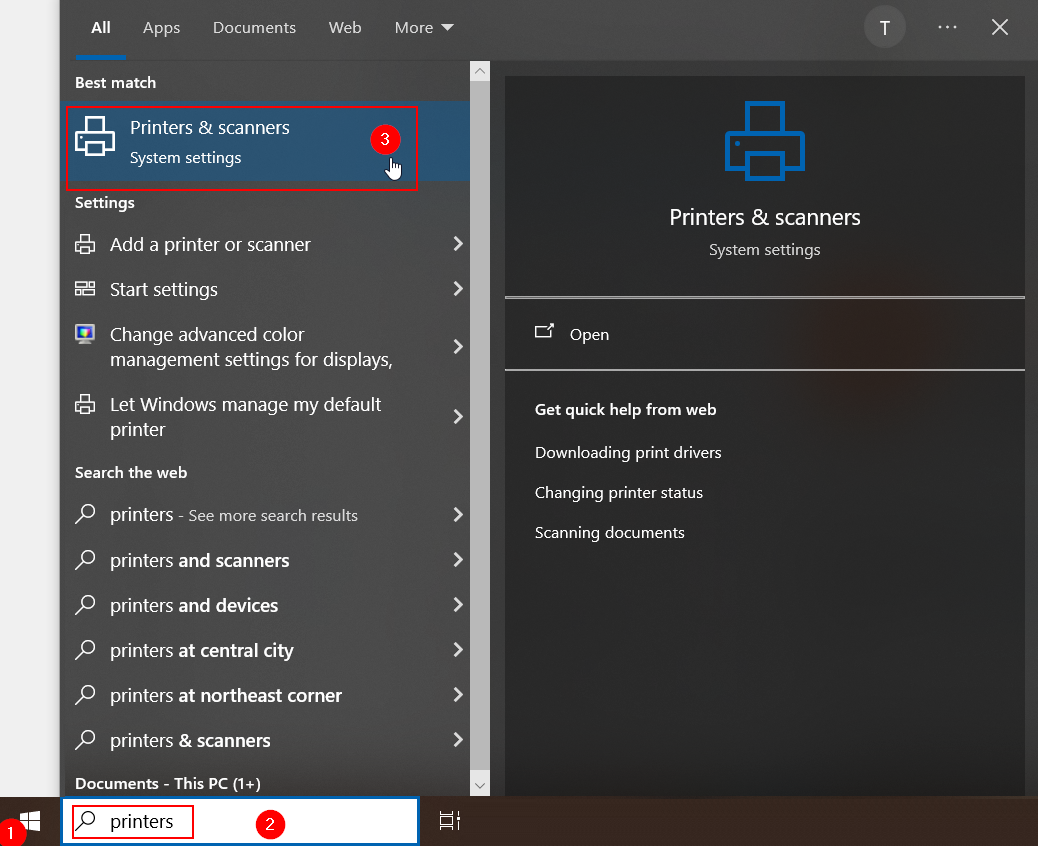
- To disconnect from an office printer, first open the Printers & Scanners page of your computer's settings:
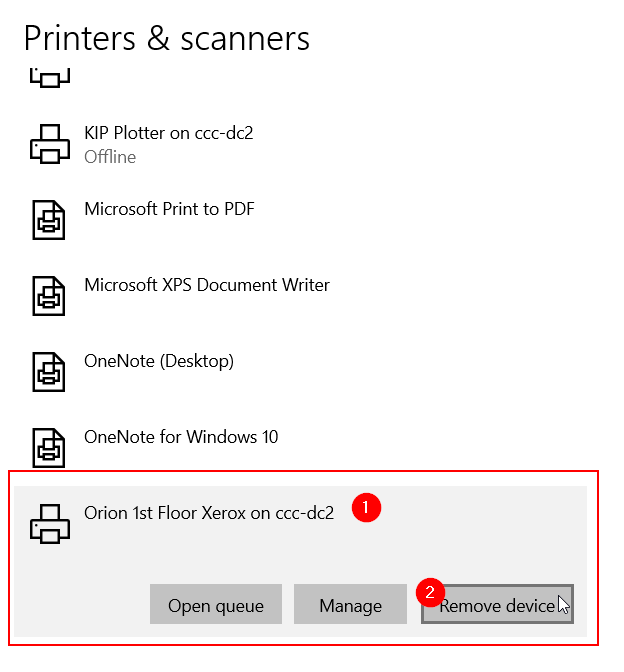
- Then, scroll in the list of printers to locate the printer you want to remove. In this example, "Orion 1st Floor Xerox on ccc-dc2". Click on the printer, then click "Remove Device":
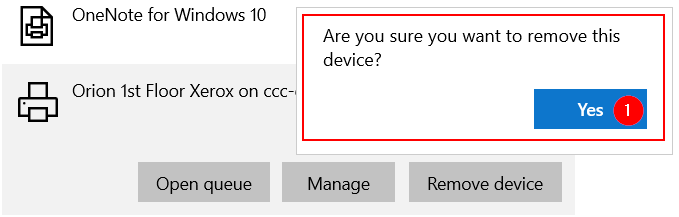
- You will be asked to confirm device removal, click "Yes":
- The printer should now be removed.