


Barracuda Email Notifications

Aug 05, 2026
 1
1
With the new feature of being able to see your quarantined emails, you may want to silence the notifications in case a lot of the emails you get are spam:
To do so login to Barracuda Email Defense with the following URL: https://us.ess.barracudanetworks.com/webui/message-log
Once logged in you will see a settings gear click it and you'll see the options as shown below:
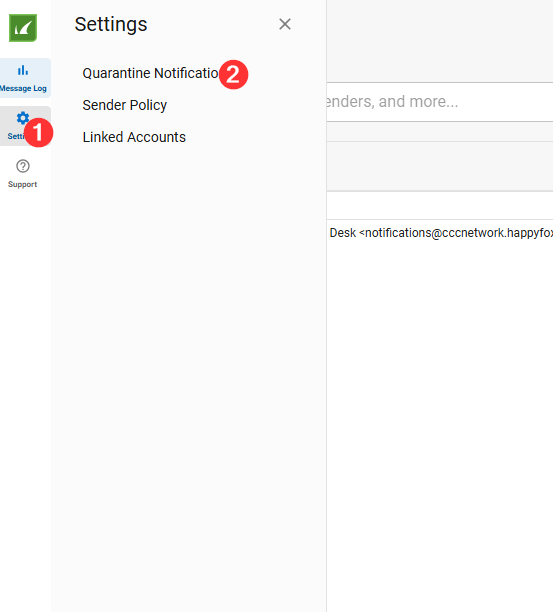
Once you click notifications settings you will see this screen:
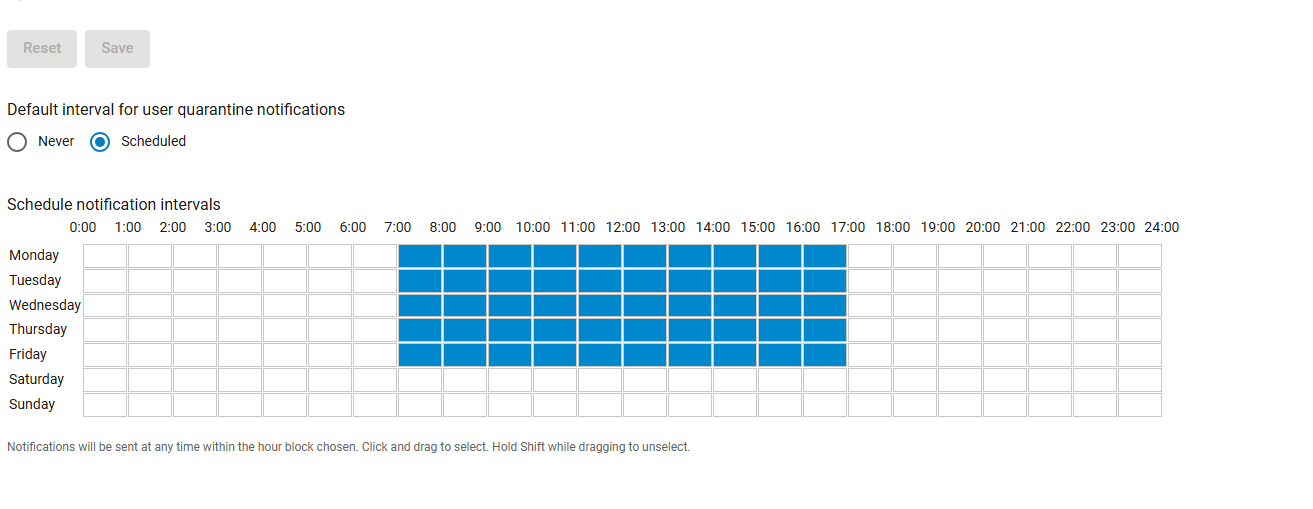
On this screen you can change the intervals that you receive notifications or you can hit the never option and disable notifications entirely.

